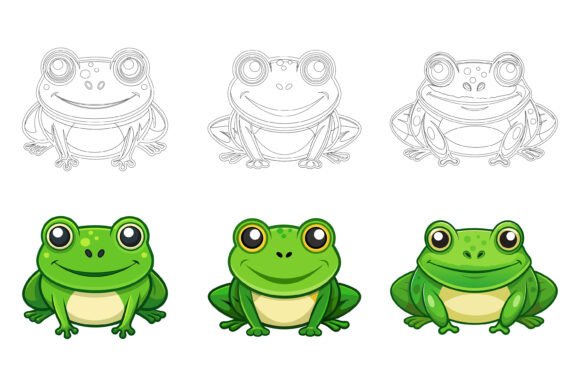
Frogs as Design Elements: Getting the Most from Vector Illustration Collections
Frogs have a quiet versatility that many designers overlook. They can signal transformation, environmental themes, playfulness, or even a touch of whimsy in an otherwise serious layout. But finding the right frog illustrations — ones that are genuinely usable across projects — can be trickier than it seems. That is where a well-built vector collection makes a real difference.
When you work with professional AI and EPS illustration sets, you are not just buying pictures of frogs. You are investing in editable, scalable assets that can adapt to branding, editorial layouts, app interfaces, and print materials. What separates a truly useful collection from a frustrating one often comes down to details that are easy to miss until you are deep into a project.
Why People Reach for Frog Illustrations in the First Place
Frogs carry surprising symbolic weight. In some contexts, they represent renewal and ecological balance. In others, they are simply friendly, approachable creatures that soften a design without making it childish. Educators use them in biology materials. App developers include them in weather or nature-themed interfaces. Marketers lean on frog imagery for sustainability campaigns. Children's book illustrators, hobbyists creating party invitations, and small business owners designing logos all find reasons to work with frog motifs.
The challenge is not finding frog graphics. A quick search pulls up thousands. The challenge is finding frog illustrations you can actually use without running into technical limitations, licensing headaches, or quality issues that reveal themselves only after you have committed time to a design.
Common Mistakes When Choosing Vector Illustration Sets
Many people gravitate toward whatever looks attractive on a preview page and click download or purchase without digging deeper. That approach leads to several problems that are entirely avoidable if you know what to look for.
Overlooking File Format Compatibility
Not every vector file works the same way in every application. AI files are native to Adobe Illustrator, while EPS files offer broader compatibility across vector editing programs including CorelDRAW, Affinity Designer, and older software versions. A collection that provides both AI and EPS formats, along with a high-resolution JPG for quick previews and placements, covers far more real-world scenarios.
If you skip checking the included formats, you might find yourself unable to open or properly edit the frogs you just bought. Someone working on a Windows machine with older software will have a very different experience than someone on a Mac running the latest Creative Cloud. A collection intentionally designed for Mac and Windows users removes that friction before it starts.
Ignoring File Organization and Layer Structure
Opening a downloaded vector file to find a single flattened layer with hundreds of ungrouped paths is a special kind of frustration. You lose the ability to isolate individual frogs, change specific colors, or repurpose elements efficiently. A neatly organized file and layer structure saves hours over the lifetime of a project.
Well-structured frog illustrations let you click on a single frog, change its fill color, adjust its stroke, or scale it independently without affecting surrounding elements. Labels that make sense — such as "tree frog body," "spots," "eyes," and "background" — mean you spend less time hunting and more time designing. This is not a luxury feature. It is the difference between a professional asset and a digital decoration.
Underestimating the Importance of Detail Consistency
Frog illustrations within a set should feel like they belong together. When one frog has a detailed, realistic texture and another looks like a flat cartoon, the inconsistency jars the viewer. This becomes especially noticeable in infographics, multi-page documents, or app screens where several frog icons appear near each other.
Perfection in details and consistency across a collection means you can mix and match frogs without worrying about stylistic clashes. The line weights stay uniform. The color palettes harmonize. The level of anatomical accuracy — whether simplified or highly detailed — remains steady. That consistency signals professionalism before your audience consciously notices it.
Skipping the Edibility Check
Some vector sets look great in previews but resist meaningful editing. You try to recolor a frog and discover the artist used raster effects that do not scale. You attempt to simplify an icon for a small UI element and realize the paths are needlessly complex. An illustration set worth your time allows you to edit, change colors, and modify icons easily according to your needs.
This matters for practical reasons. A marketer who needs the frog logo to match brand colors cannot afford to fight with locked gradients. A blogger who wants to use a frog as a bullet point symbol needs clean, simple shapes that read well at small sizes. Before committing to a collection, ask whether the assets bend to your workflow or force you to bend to theirs.
How These Mistakes Affect Your Results
The consequences of choosing the wrong frog illustration set show up in ways that compound over time. A web designer might embed a frog graphic on a homepage only to discover at the QA stage that it pixelates on high-DPI screens because the source file was not truly vector. A print designer could send a brochure to press with frog illustrations that looked vibrant on screen but print muddy because of CMYK conversion issues buried in poorly constructed files.
There is also the cost of your own time. Wrestling with disorganized layers, reconstructing paths that should have been clean from the start, or swapping out mismatched frogs for consistent alternatives — these tasks eat into billable hours and creative energy. The money saved on a cheaper, less polished set often evaporates in the first hour of cleanup work.
What to Check Before Using Frog Illustrations in a Project
Start by opening a sample file, not just the preview image. Look at the layers panel. Are things grouped and labeled? Can you easily select individual elements? Try changing the color of one frog. If that process takes more than a few seconds, consider what happens when you need to modify a dozen of them.
Think about where the frogs will live. Suitable for print, web, symbols, apps, and infographics is not just a tagline — it should be verifiable. Print projects demand CMYK compatibility and high enough detail to hold up at scale. Web and app use requires clean rendering at small icon sizes. Infographics need clear, communicative silhouettes that work even when simplified. A versatile frog collection handles all of these without forcing compromises.
Also consider the range of expressions, poses, and species included. A set with only one frog in one pose limits your storytelling. A collection with multiple frogs — sitting, jumping, climbing, resting — gives you narrative flexibility across different layouts and messages.
Making a Smarter Choice
The best vector illustration collections fade into the background of your workflow. You open the file, grab what you need, make your adjustments, and move on. The frogs should adapt to your design, not demand that your design adapt to them.
When evaluating options, prioritize collections that deliver AI EPS and JPG formats together. Look for explicit confirmation that the files are organized with a sensible layer structure. Check whether the creator emphasizes easy color editing and modification. These features are not extras. They are the baseline for professional, frustration-free design work.
Frogs can bring charm, meaning, and visual interest to a wide range of projects. With a properly constructed vector collection, you spend your time on creative decisions — not on technical fixes. That shift from struggling with files to actually designing with them is what turns a good illustration set into a genuinely useful tool.
Putting Frog Illustrations to Work
Once you have a reliable set of frog vectors in hand, the applications open up quickly. Use them as accent graphics in blog post headers. Incorporate them into educational worksheets where consistent, clean illustrations help students focus on the content. Build them into app onboarding screens where friendly frog characters guide new users through features. The same frog that works as a website favicon can scale up for a trade show banner without losing an ounce of quality — provided the source files are built properly from the start.
The difference between struggling and flowing often comes down to the few minutes you spend evaluating a collection before you commit. Check the formats. Inspect the layers. Test the edits. When those boxes are checked, you can work with confidence, knowing your frog illustrations will perform wherever you place them.